If you’re running a small business, charity or CIC, your IT setup might feel like one of those “we’ll sort it soon” jobs. A mix of old laptops, different versions of Office, and a few cloud tools glued together.
But things have changed. For many organisations, Microsoft 365 for small businesses is no longer a “nice-to-have upgrade” – it’s become a safety requirement and a huge opportunity.
Why October 2025 was a tipping point
As of 14 October 2025, Microsoft ended support for:
- Windows 10
- Office 2016 and Office 2019
That doesn’t mean those programs suddenly stopped working. It means they no longer receive security updates.
Why does that matter?
- New security holes will still be discovered.
- Microsoft will not release patches to fix them.
- Attackers know this and actively target older systems.
So if you’re still using Windows 10 or Office 2016/2019 on any device, you are now relying on software that’s effectively frozen in time. Over months and years, that gap in protection gets bigger.
Upgrading to modern Microsoft 365 isn’t just about getting new features. It’s about:
- Protecting your data
- Meeting insurance and compliance requirements
- Reducing the risk of downtime or serious incidents
If you haven’t already done so, now is the time to:
- Audit every device in your organisation
- Identify anything still running Windows 10 or older Office
- Plan a phased move to supported versions via Microsoft 365
If you’re unsure where to start, Cosmic’s tech team can help with device audits and migration planning through our tech support and cloud services.

Beyond “chatbots”: the rise of AI agents in Microsoft 365
You’ve probably heard of Copilot – Microsoft’s AI assistant that lives inside apps like Word, Outlook, Excel and Teams.
What’s changed recently is how powerful and integrated these tools have become. We’re moving from simple “chatbots” to AI agents – tools that can:
- Join your conversations
- Work across multiple apps
- Help manage tasks and projects in the background
Here are two key developments.
Teams mode for Copilot
Copilot is no longer just a private chat window. In Teams mode, it can join group chats and meetings as a kind of “digital participant”.
It can:
- Summarise long discussions
- Surface relevant documents or notes
- Highlight where people disagree or where decisions were made
- Draft Workback Plans – project timelines based on your goals
For busy teams, this means less time spent hunting for information and more time making decisions.
Agent 365 and governance
As AI agents become more capable, the big questions are: Who controls them? What can they see? What can they do?
That’s where Agent 365 and related governance tools come in. They help you:
- Set what data AI agents can and can’t access
- Control how they behave in different parts of the organisation
- Keep an audit trail of activity
In plain English: as these “digital employees” take on more work, Microsoft is giving IT teams the controls to keep everything safe, compliant and accountable.
For small organisations, this is good news. You can start using AI features with greater confidence, knowing there are safeguards in place.
One feature to try this month: Intelligent Meeting Recaps
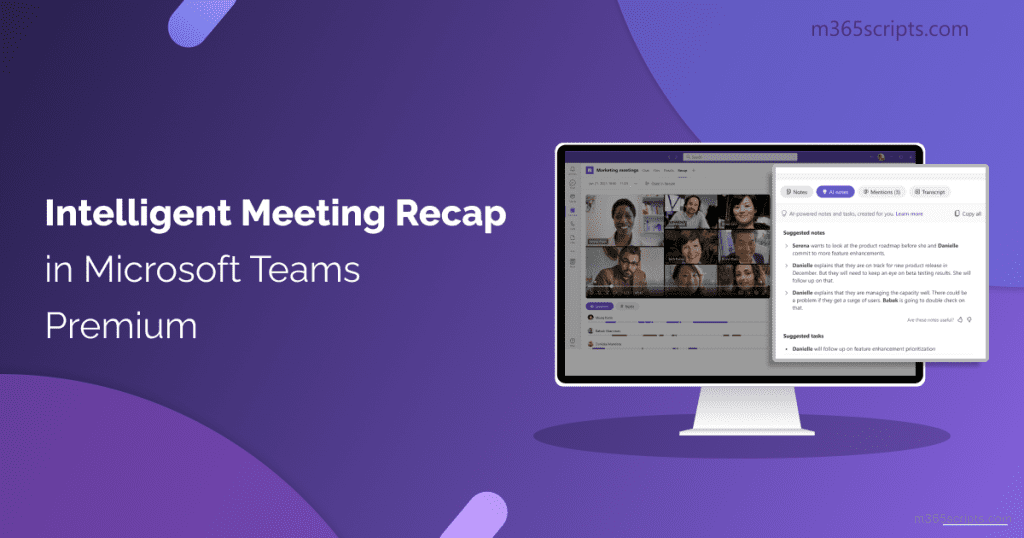
If you only explore one Microsoft 365 feature this month, make it Intelligent Meeting Recap in Teams Premium.
Here’s why:
- Most meetings generate actions, decisions and deadlines.
- Most people don’t enjoy taking notes.
- Important details are easily missed or forgotten.
With Intelligent Recap, the AI will:
- Capture what was said in the meeting
- Identify key moments and decisions
- Pull out actions, owners and due dates
- Feed these into your To Do list and other tools
You can go back later and see:
- Who agreed to do what
- When certain topics were discussed
- A short summary instead of a full recording
For clients we work with, this has been a game-changer:
- Fewer “What did we agree?” emails
- More focused participation in meetings
- Less admin work after the call
If you spend a lot of time in meetings, this is one of the fastest ways to see real value from Microsoft 365 for small businesses.
Three quick reasons to move to the cloud now
If you still have a mix of old on-premise servers, standalone Office licences or local file shares, here are three strong reasons to accelerate your move to cloud-based Microsoft 365.
Reason 1: Better security by default
With the new Baseline Security Mode, even smaller setups benefit from:
- Stronger default protections against phishing
- Better identity and access controls
- Fewer “holes” left open by accident
You don’t have to be a security expert. Microsoft 365 sets sensible defaults that bring you closer to enterprise-grade security out of the box.
Reason 2: Real-time collaboration with the new Teams
The old “classic” Teams app has been retired (as of July 2025). The new Teams is:
- Faster
- Uses roughly half the memory
- Lets you switch between multiple accounts much more easily
For hybrid working – where people might be at home, in the office, on-site or on the move – this makes a huge difference.
You can:
- Co-edit documents in real time
- Jump between customer accounts, partner organisations or projects
- Keep chat, files and meetings in one place
No more emailing multiple versions of the same spreadsheet around.
Reason 3: Excel with built-in superpowers
One of the more exciting developments is Python in Excel becoming mainstream.
You don’t have to be a programmer to benefit. In many cases, you can:
- Use natural language prompts to describe the analysis you want
- Run more complex forecasts or scenarios
- Create visualisations that used to require specialist tools
In practice, this means tasks that once needed a data scientist can now be explored by a confident Excel user, with AI and Python doing the heavy lifting in the background.
If you’re curious about what’s possible, Microsoft has an overview at Microsoft 365 for business which highlights current features and plans.
Where to start if this all feels a bit much?
It’s easy to feel overwhelmed by all the change. You don’t need to fix everything at once.
Here’s a simple, staged approach:
- Audit your devices and licences
- List every laptop, desktop and key user.
- Note which ones still run Windows 10 or older Office.
- Prioritise upgrades that affect security
- Plan to move legacy devices to supported versions or replace them.
- Make sure backups and antivirus protection are in place.
- Enable one or two productivity features
- Try Intelligent Meeting Recap.
- Explore basic Copilot features for email and documents.
- Review your longer-term Microsoft 365 roadmap
- Decide what you want from AI, collaboration and reporting.
- Align your licences and setup with those goals.
You can do this in-house if you have capacity, or with support.
How Cosmic can help with Microsoft 365 for small businesses
Cosmic works with organisations of all sizes to plan, implement and support modern Microsoft 365 environments. That can include:
- Auditing your current setup and identifying risks
- Migrating from Windows 10 and older Office versions
- Setting up secure cloud-based Microsoft 365 for small businesses
- Training your team to use tools like Teams, Copilot and advanced Excel
- Providing ongoing managed IT support
If you’d like to talk through where you are now and what needs to happen next, you can contact our tech team via our IT support and managed services page.
Keep pace by taking one clear step
The Microsoft landscape has shifted. Support for older systems has ended, AI agents are becoming part of everyday work, and collaboration tools are evolving fast.
You don’t need to understand every new feature. But you do need to:
- Move away from unsupported systems
- Make smart use of Microsoft 365 for small businesses
- Keep your people and data safe while boosting productivity
Start with one clear step – an audit, an upgrade plan, or trying a single new feature like Intelligent Meeting Recap. Each action will help your business keep pace with the new M365 world, safely and confidently.